How to complete the Institutional Onboarding form
Last updated: April 2, 2026
Once you sign up for an institutional account with Paxos, you will be require to complete the following onboarding application.
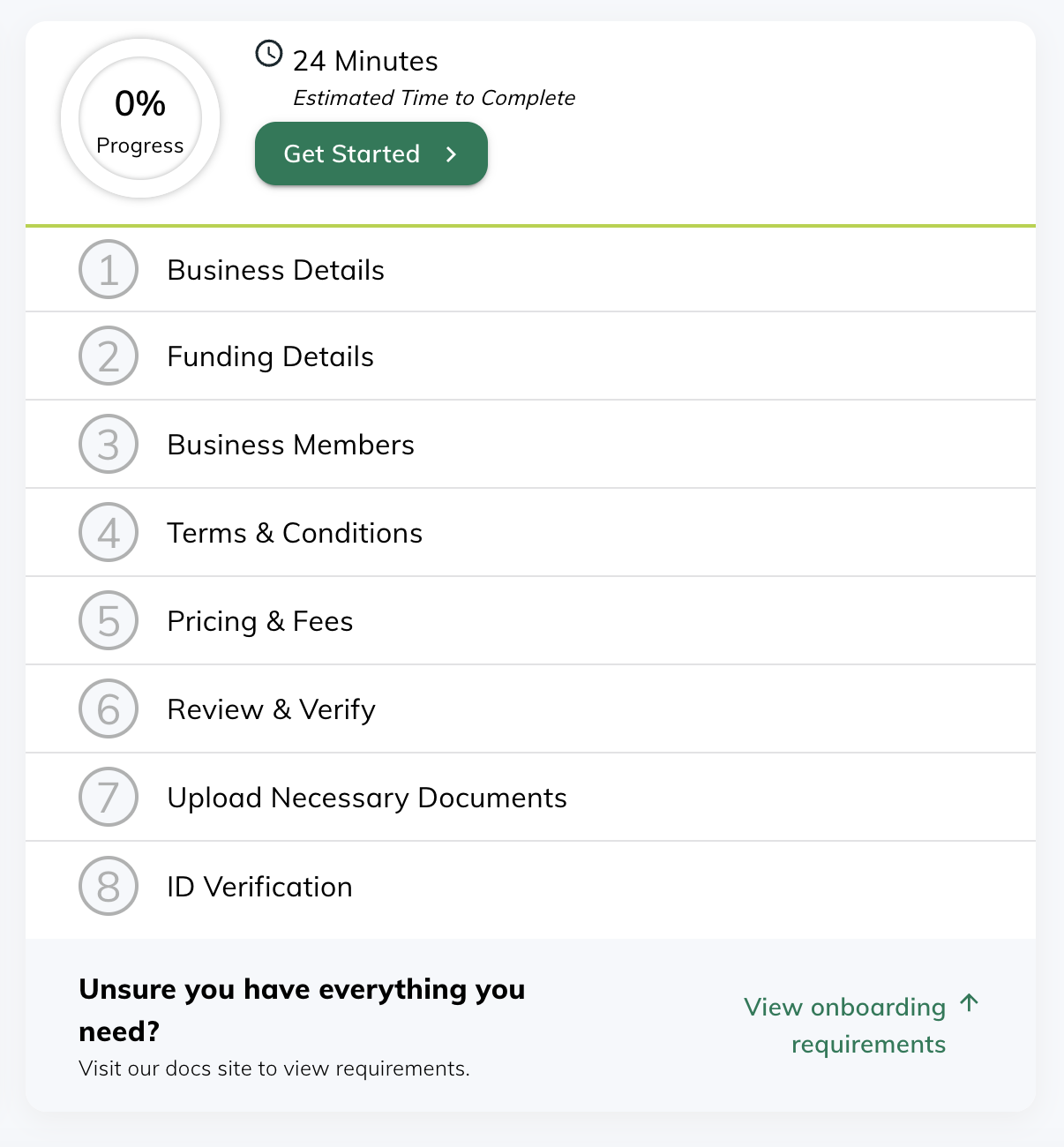
Please access this link to view the full list of documents that will be required for onboarding.
Step 1:
The first page of the form will request general information about the business type and address.
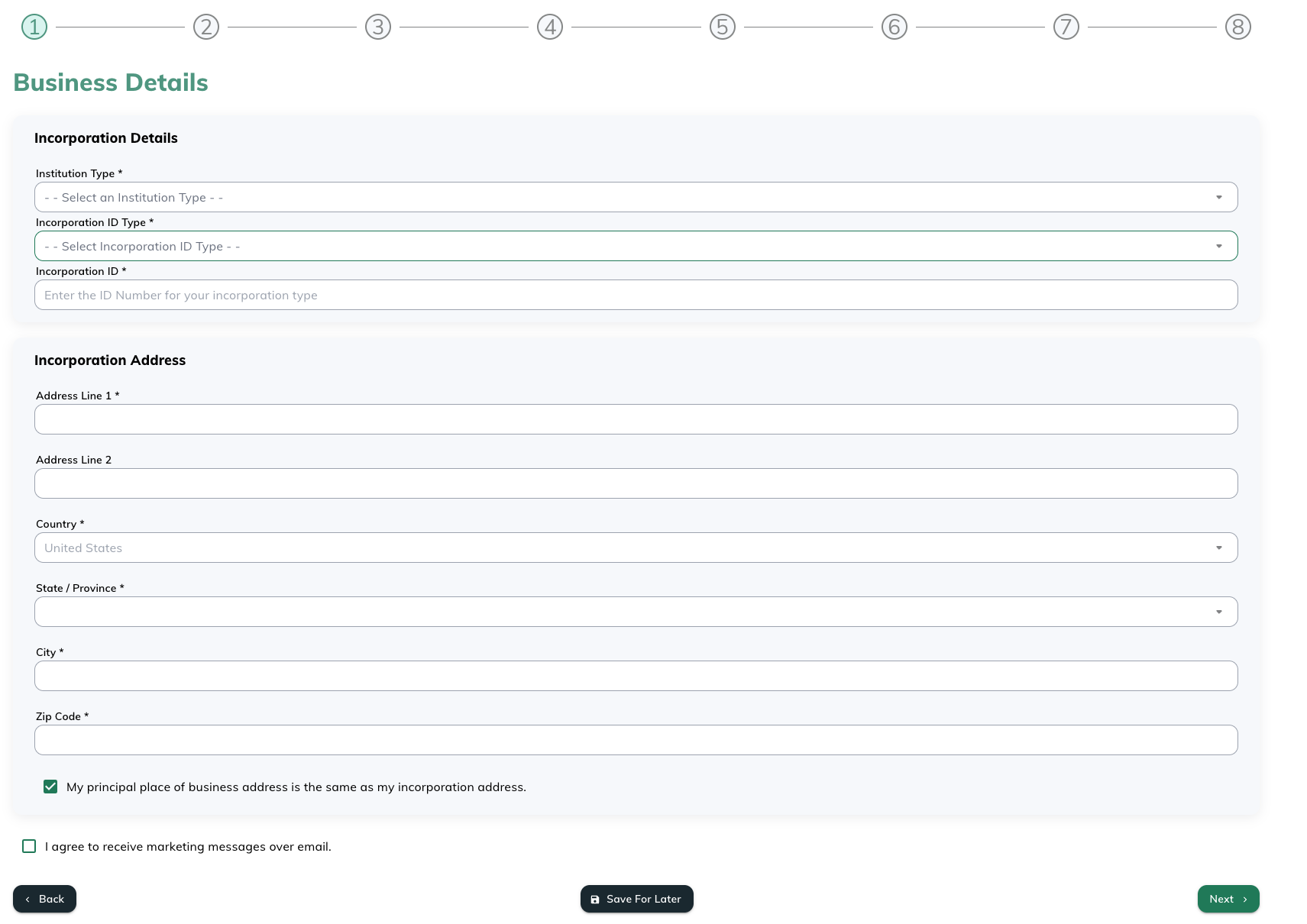
You are only able to move to Step 2 once you provide all the information required for Step 1. You can use the "Back" button to go back to previous pages.
Click on "Save for Later" if you'd like to complete your application at another time.
Step 2:
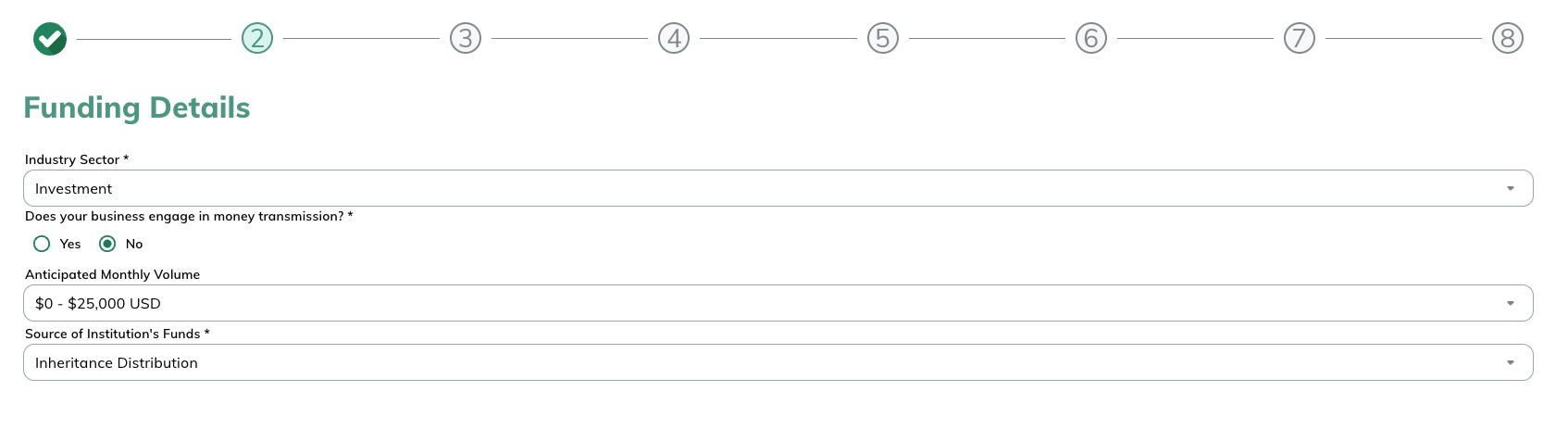
Select the options that best describe your business' industry sector, anticipated volume of activity in the Paxos platform, and source of business' funds.
Step 3:
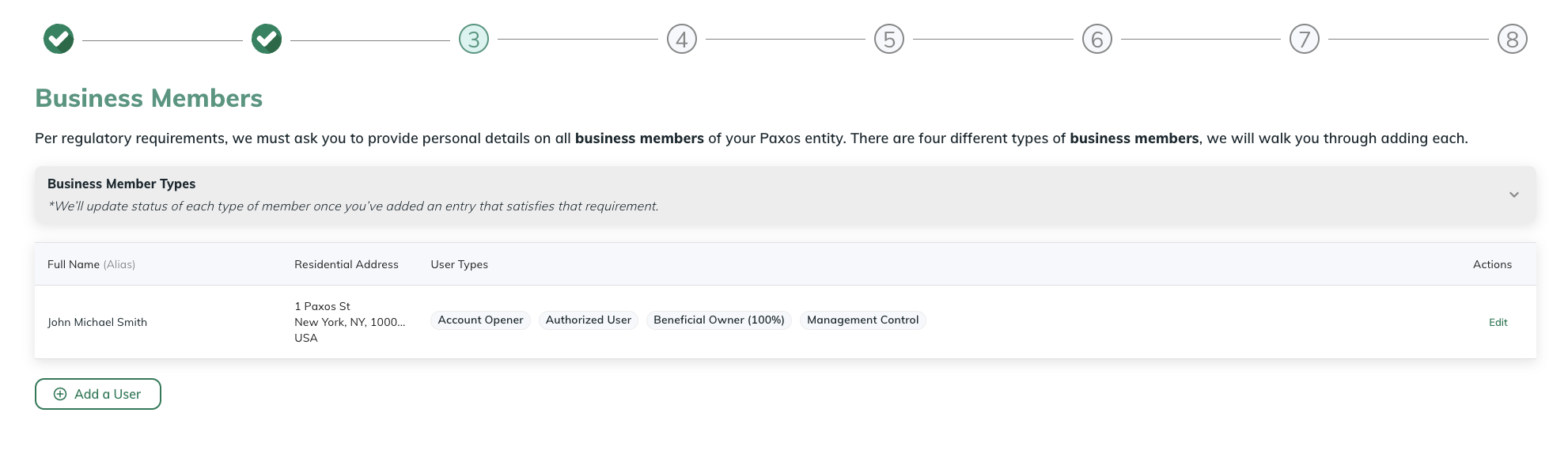
- Please ensure that details of ALL Authorized Users, all Beneficial Owners who own or control 25% (10% for Money Services Businesses) or more of the equity interests of the Institution are provided, including their ownership or control percentage.
- If your business is a non-US company, please provide the required details for all the Directors.
- If the institution's beneficial ownership structure includes intermediary entities, please provide a beneficial ownership chart in Step 7, with percentage of ownership by each intermediary entity as well as individual beneficial owners of each intermediary entity.
Step 4
Review and accept Paxos' Terms & Conditions.

Please note that if you have agreed to a separate agreement with Paxos, your agreement will supersede the Terms & Conditions listed under the Paxos onboarding form.
Step 5
Review and opt into Paxos' Pricing & Fees structure.

Step 6
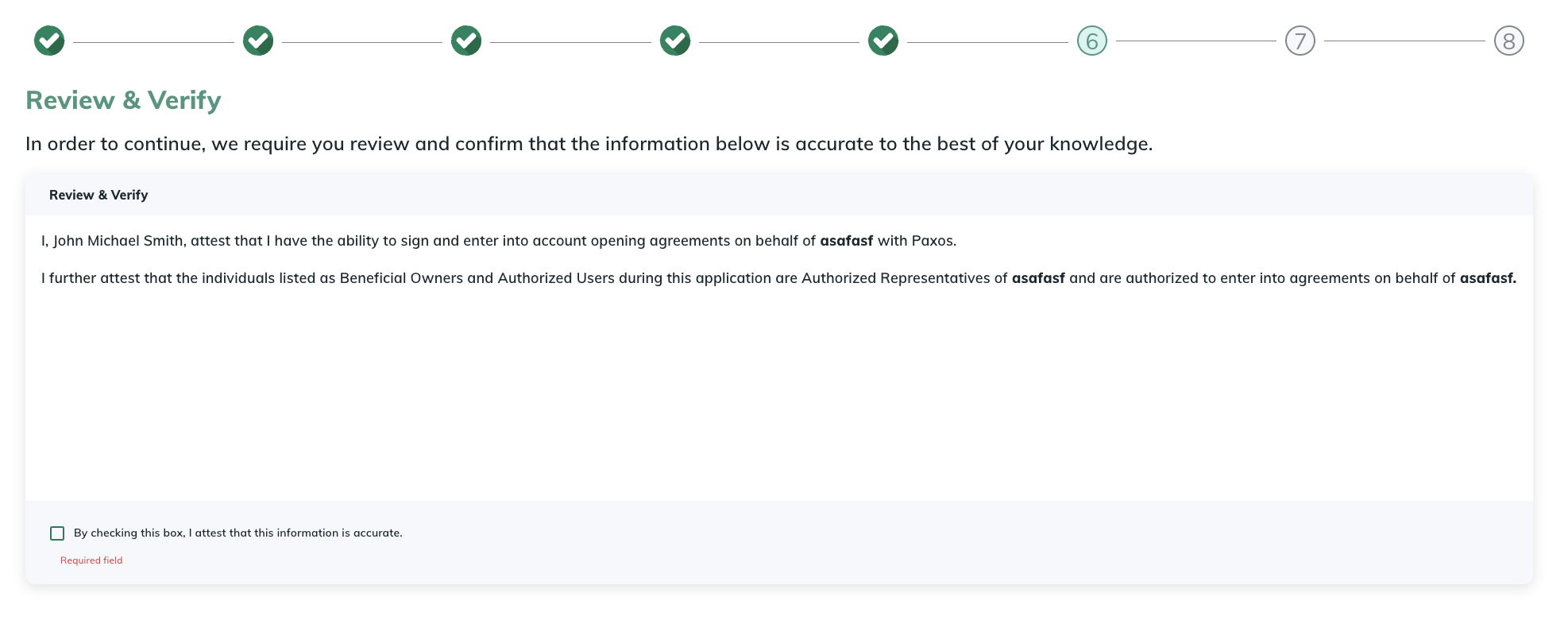
Please review the submitted information and confirm that the information provided is accurate to the best of your knowledge.
Step 7
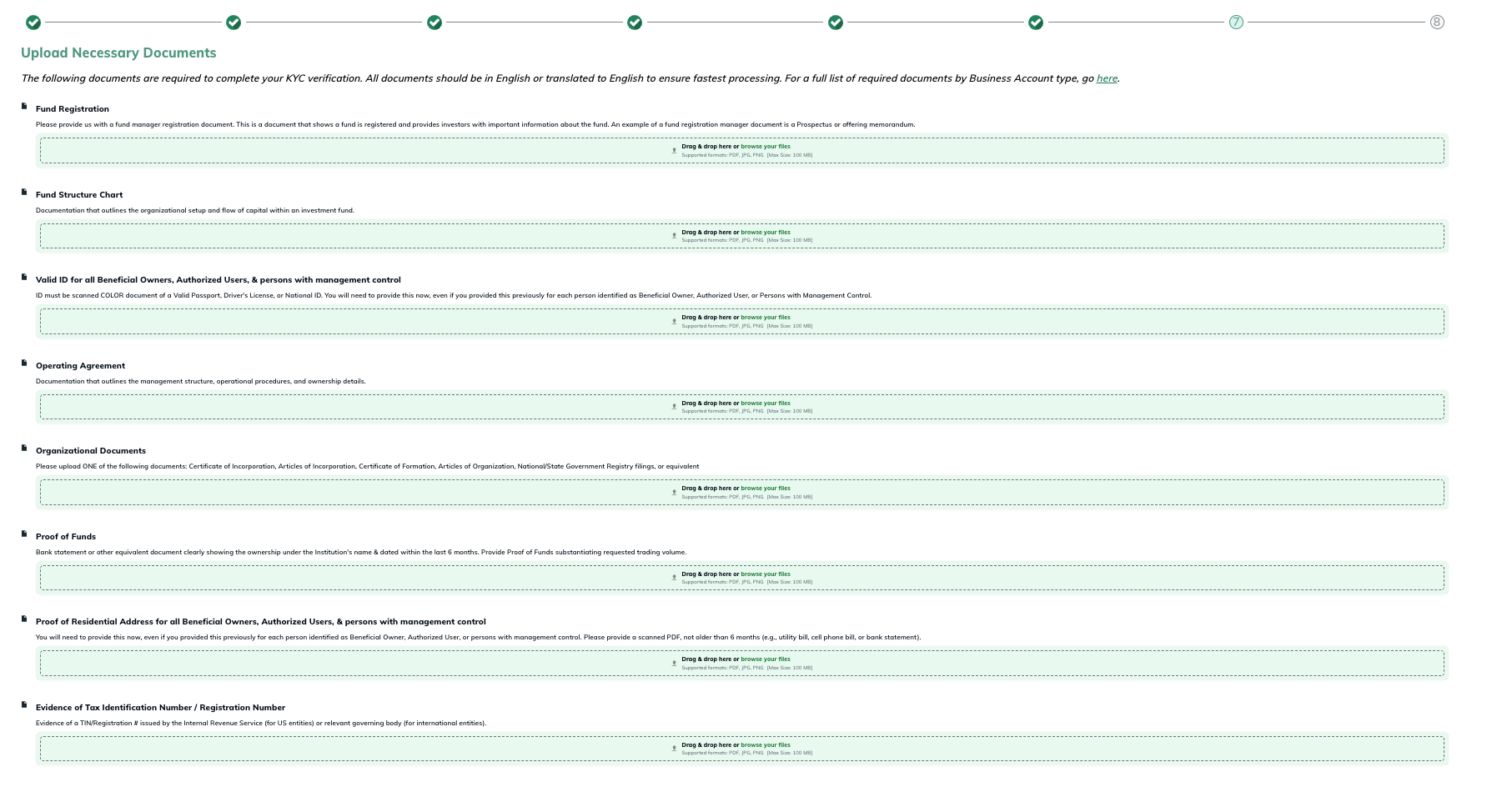
Submit the required documents to complete your KYC verification. For a full list of the necessary documents for onboarding please access this page.
Step 8
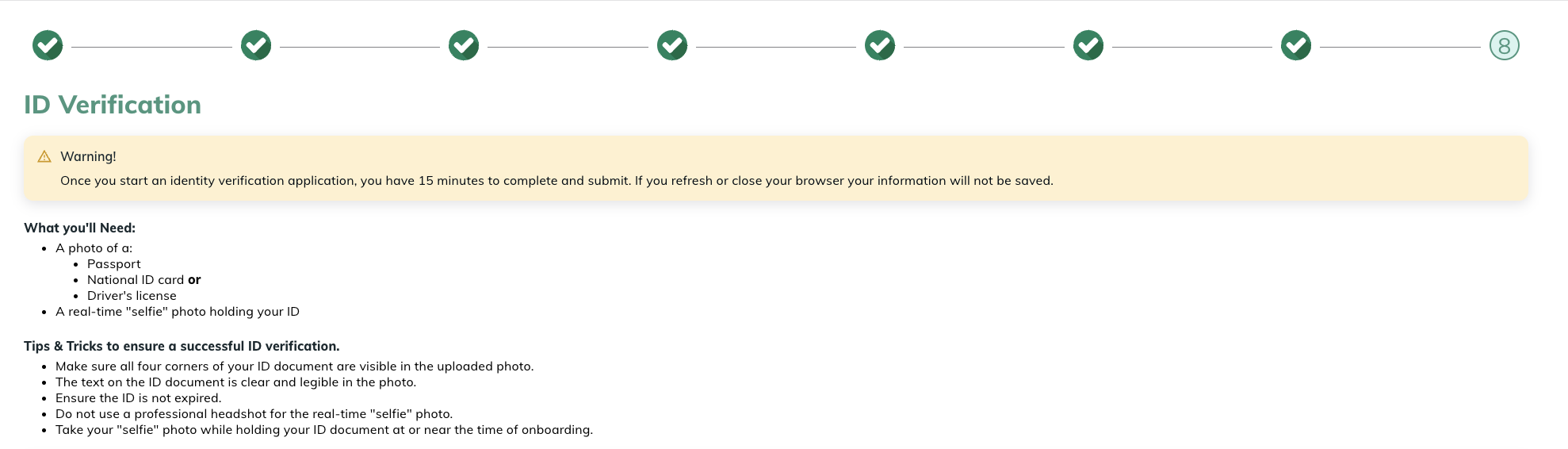
Provide a photo of your selected identification document and a "selfie" holding your ID.