How to obtain Stablecoins with USD
Last updated: April 2, 2026
NOTE: Not all users have access to all Paxos-issued stablecoins. If you do not see the Paxos-issued stablecoin you are looking to obtain as an option in the Dashboard, please reach out to Support and provide details on the specific stablecoin you are looking for.
When converting from USD to Stablecoins, you have the option to convert a USD balance already sitting in your account (existing USD balance) or send USD from your bank that will auto-convert to stablecoin based on deposit instructions.
Converting existing USD balance to Stablecoins
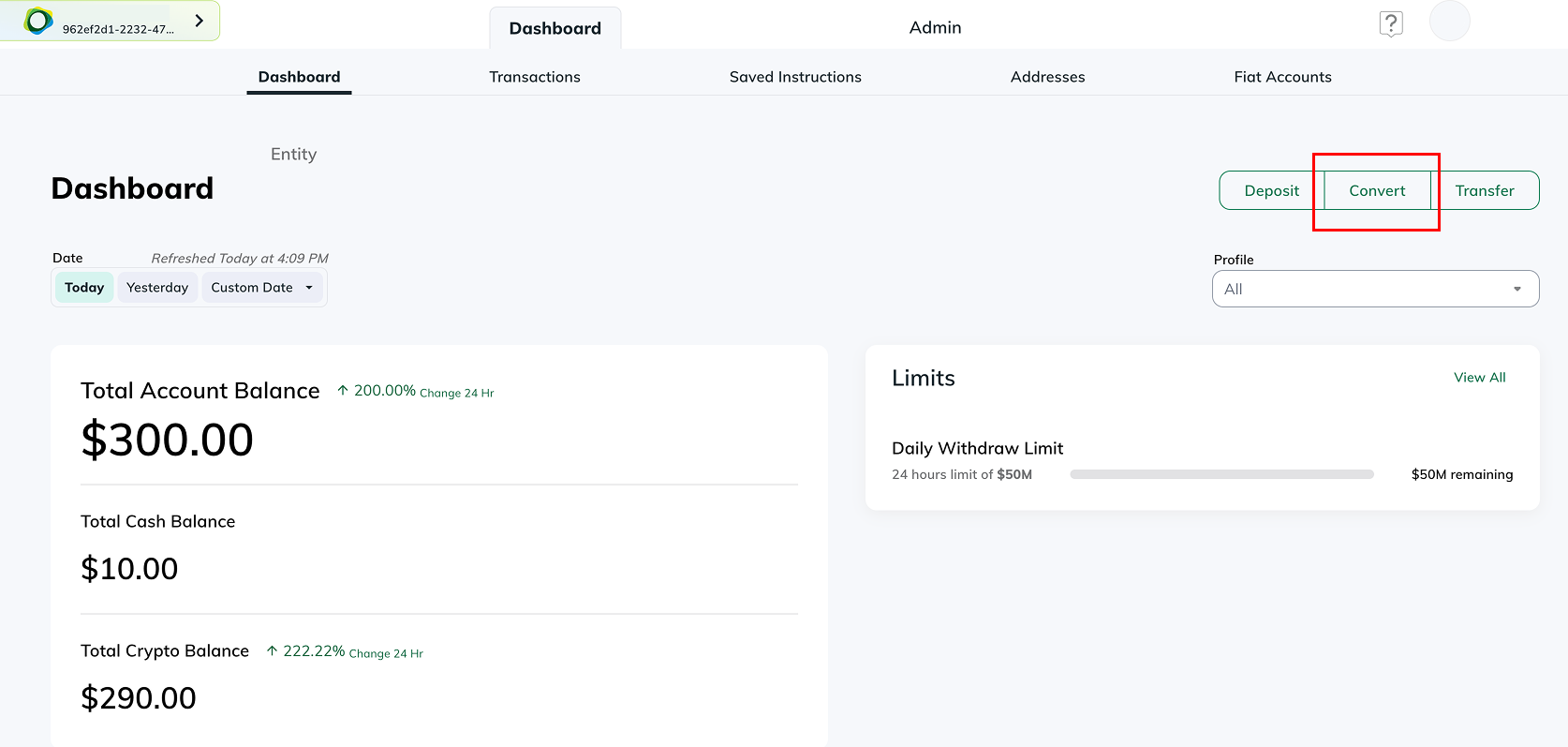
To convert an existing USD balance in your Paxos account to stablecoins, begin by selecting the Convert button under the Dashboard tab.
For my information on how to deposit USD to your Paxos account, please refer to these articles: How to Fund Your Account With USD Wires & How to Fund your Account (CUBIX Deposit)
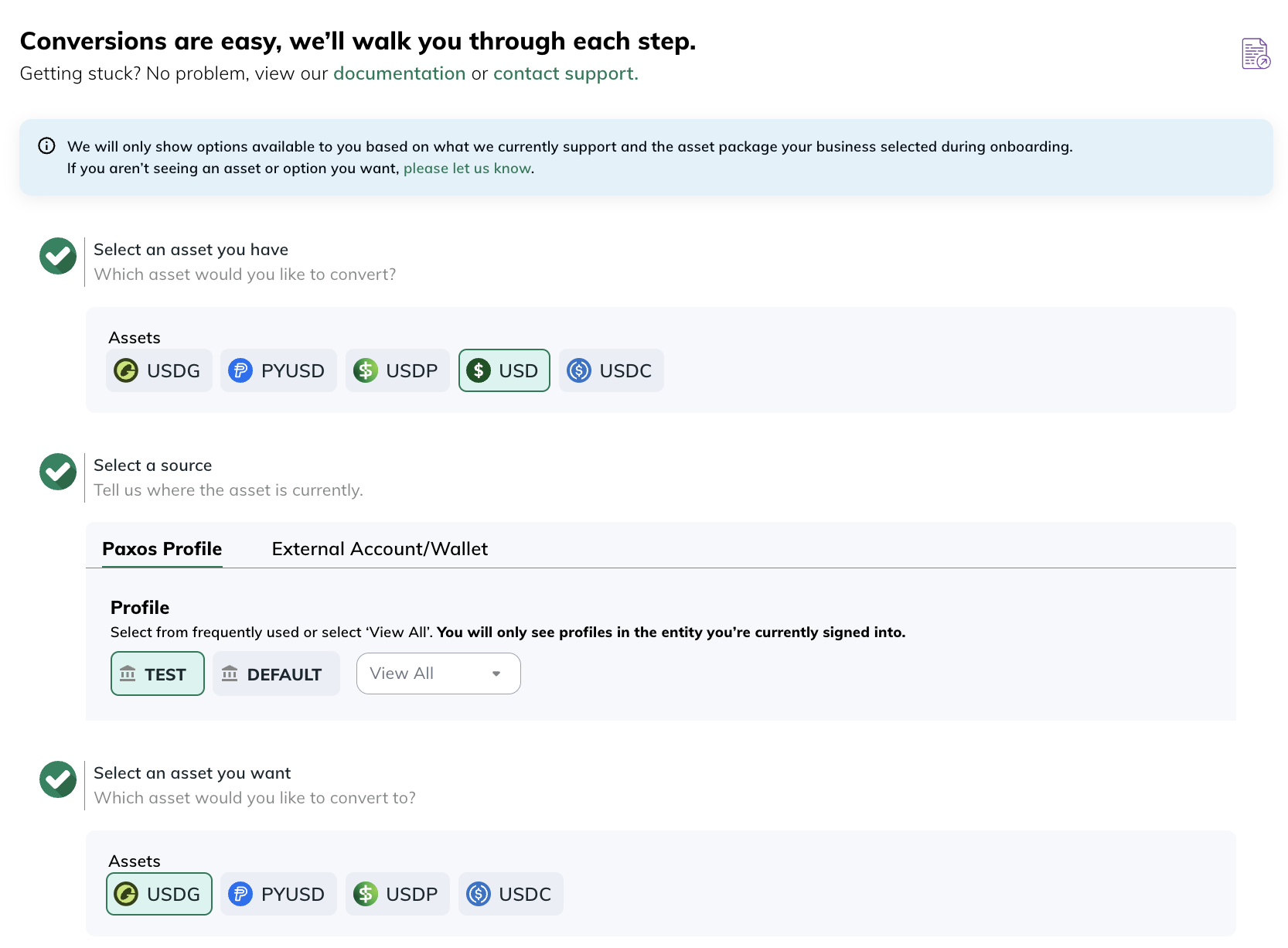
Next, complete the following steps:
1. Select an asset you have
Click USD as the asset you have
2. Select a source
Click the profile that contains the USD balance you want to convert
3. Select an asset you want
Select which stablecoin you want to convert USD to (USDG is the desired stablecoin in example)
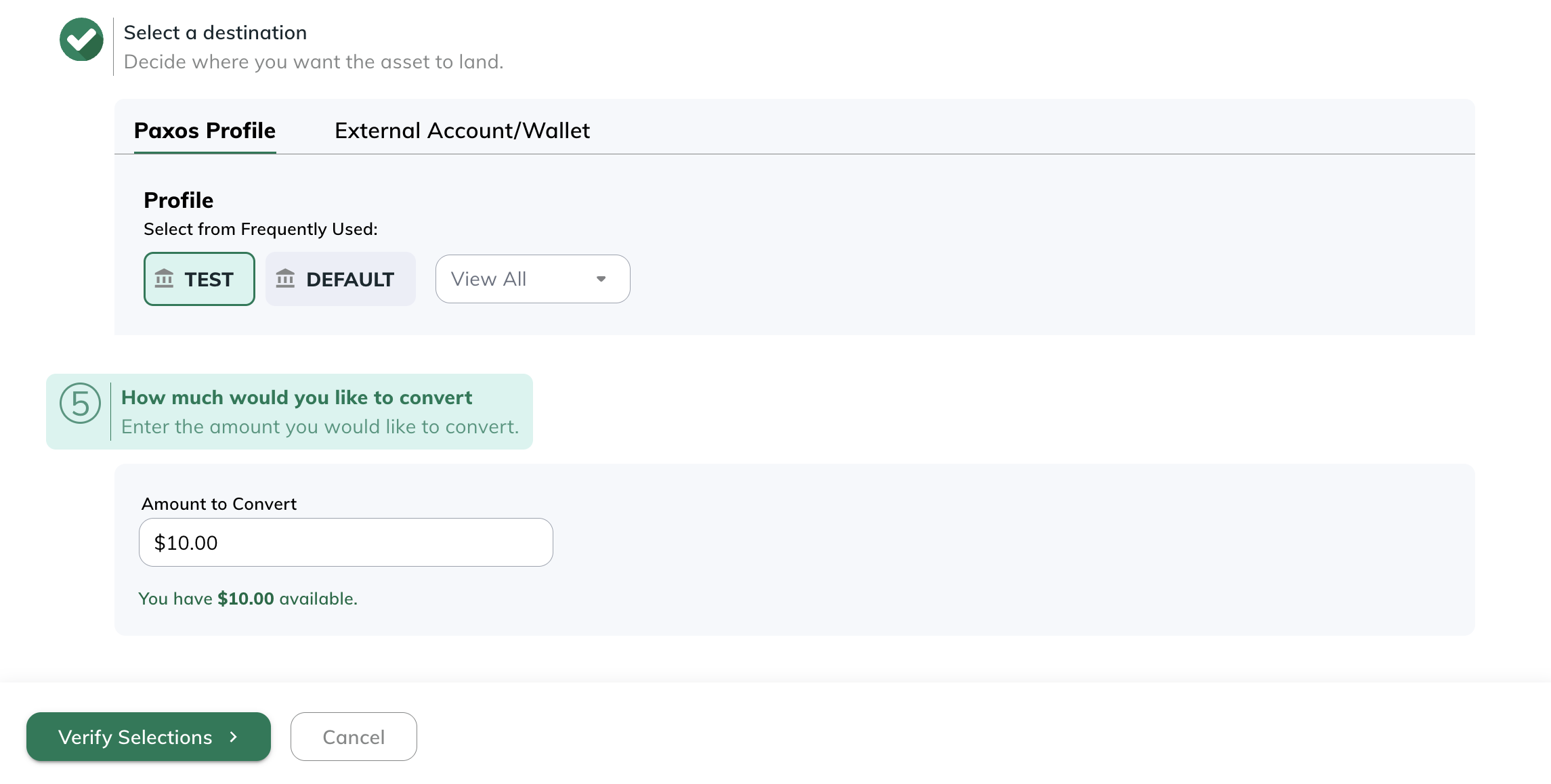
4. Select a destination
Select where you would like to receive the stablecoin. This can be to a profile on your Paxos account or an external wallet not on the Paxos platform.
5. How much would you like to convert
Enter the USD amount you would like to convert to the selected stablecoin.
After filling out this information, click Verify Selections.
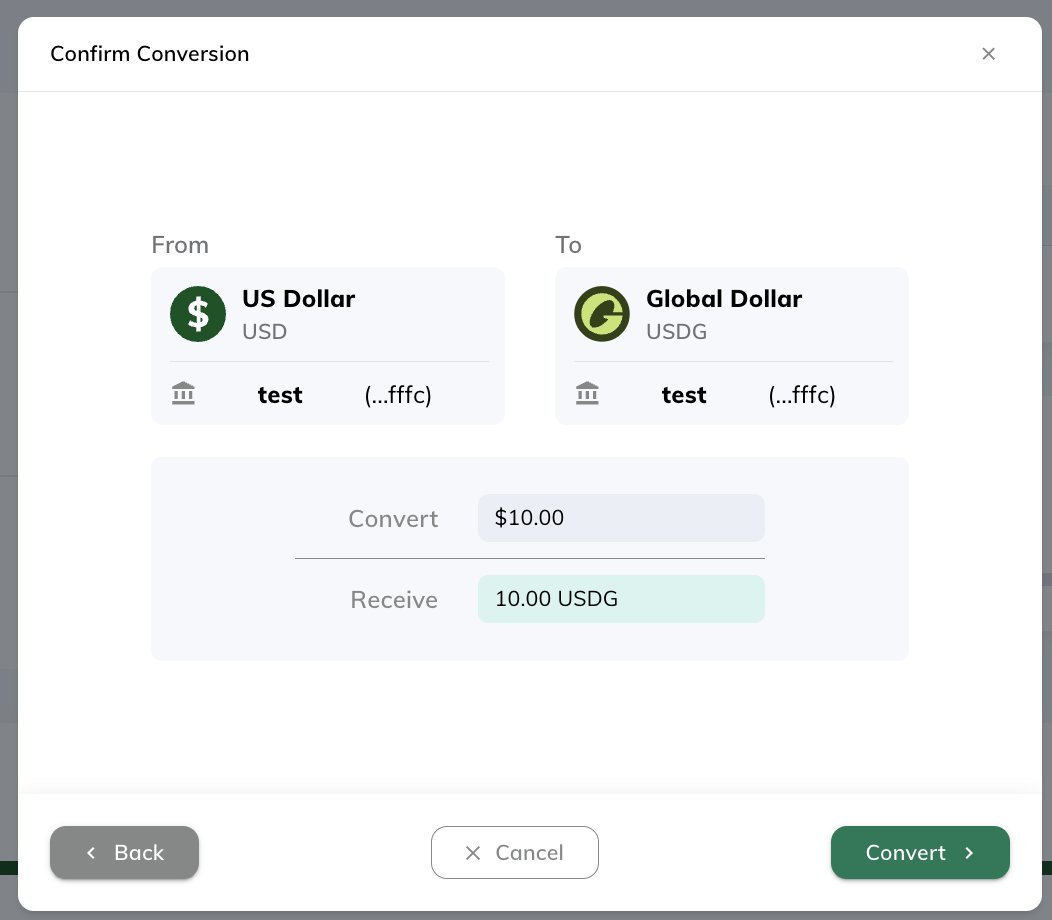
Finally, verify your selections and click Convert.
After clicking convert, you will get a notification that your conversion has been initiated. Your stablecoins will soon be in the selected destination.
Auto-Conversion of USD to Stablecoins
To convert auto-convert USD sent from your bank to stablecoins, begin by selecting the Convert button under the Dashboard tab.
Next, complete the following steps:
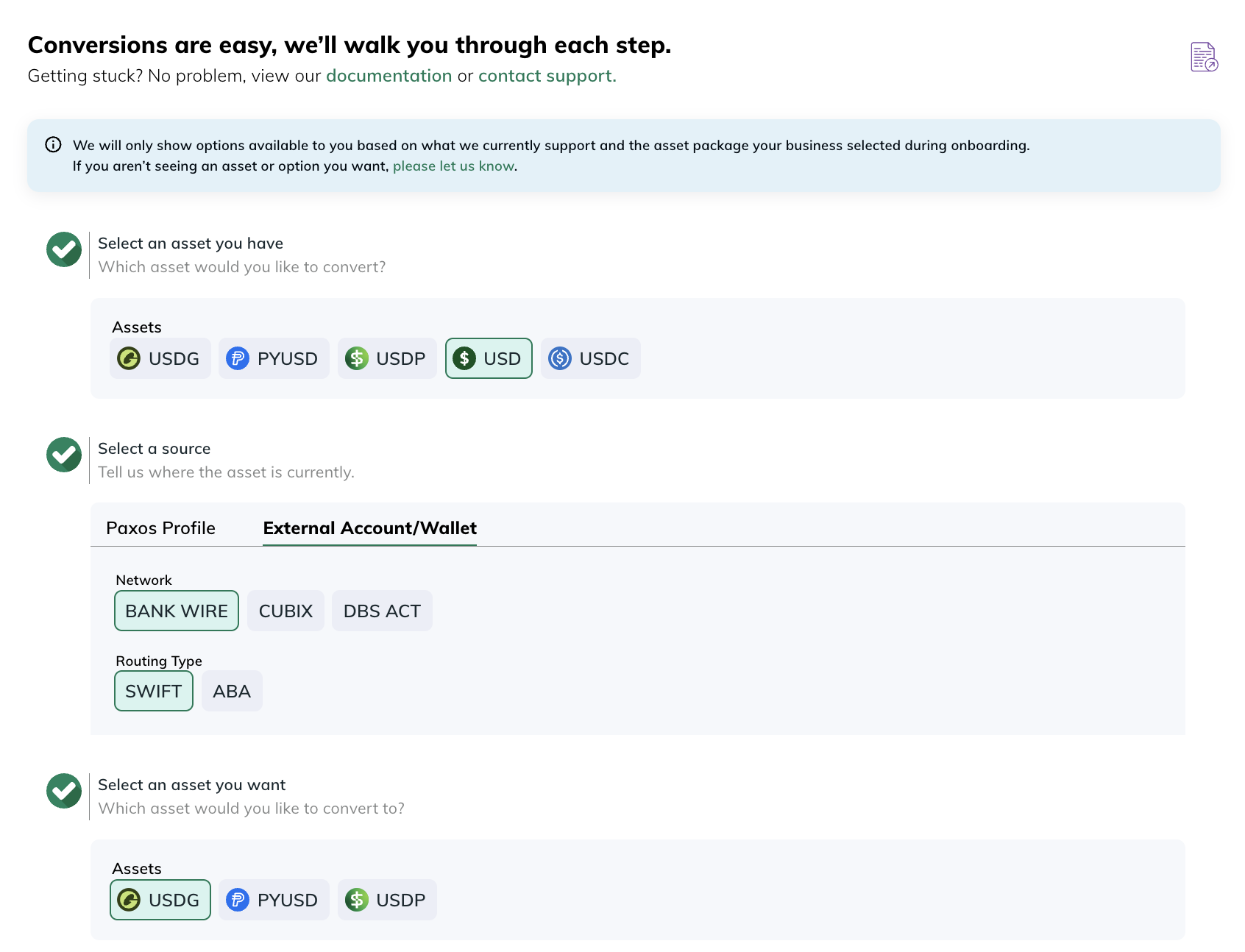
1. Select an asset you have
Click USD as the asset you have
2. Select a source
Click the External Account/Wallet tab, then select your Network and Routing type.
3. Select an asset you want
Select which stablecoin you want to convert USD to (USDG is the desired stablecoin in example)
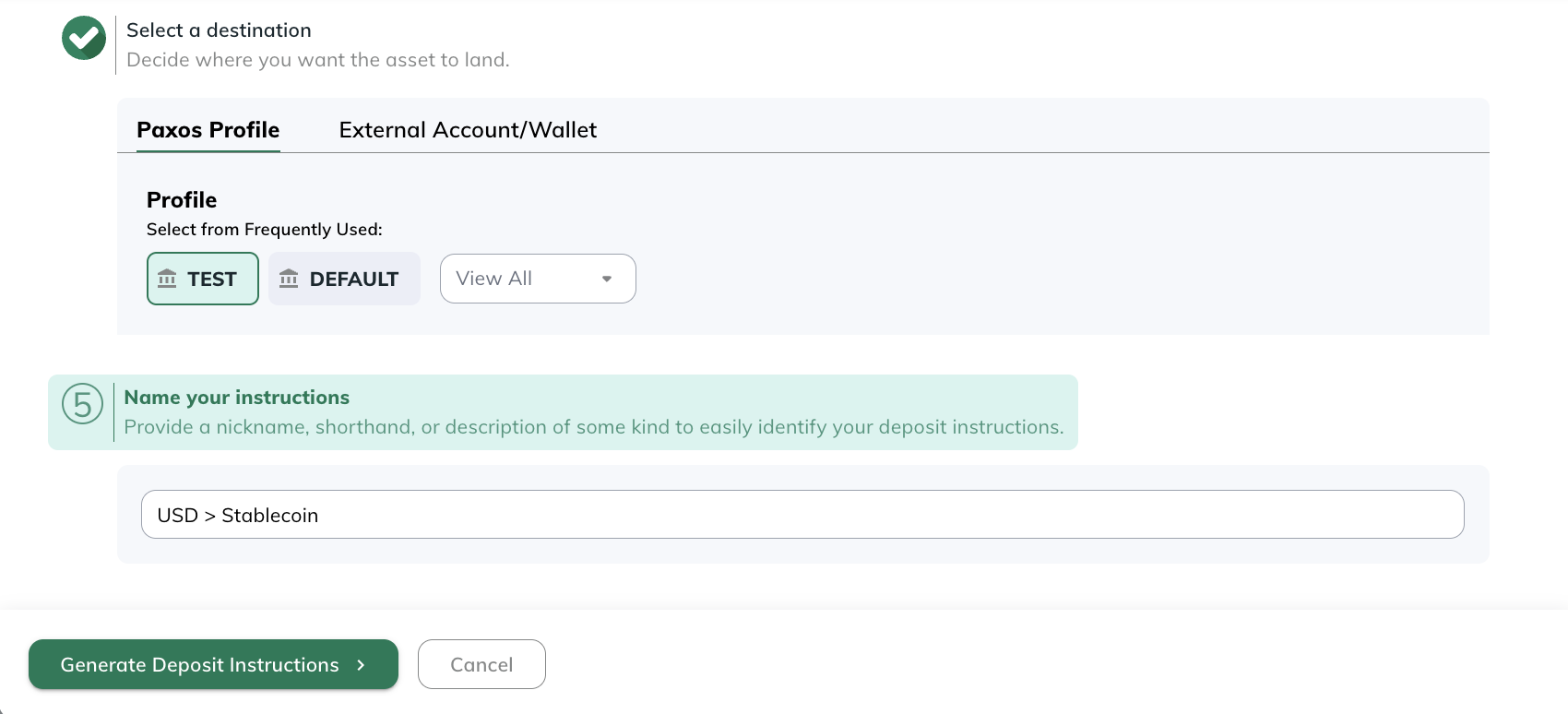
4. Select a destination
Select where you would like to receive the stablecoin. This can be to a profile on your Paxos account or an external wallet not on the Paxos platform.
5. Name your instructions
Provide a nickname, shorthand, or description of some kind to easily identify your deposit instructions.
After filling out this information, click Generate Deposit Instructions.
You will receive deposit instructions that you are able to input into your bank to send USD to Paxos that will automatically convert to the stablecoin you chose and the location you selected.
Please make sure to provide this information correctly to your banking partner. Please make sure to include your Account Identifier in your bank's "memo" or "instructions" field (in this example, ends in ZVSH). If the Account Identifier is not provided, we will not be able to correctly match your deposit to your account and may lead to a delay in wire processing or a return wire that needs to be resubmitted.
At the bottom, there is also the option to generate these instructions as a .csv file.
*Please note this example includes instructions for Customers Bank. This is not always the bank used so please make sure to verify with your specific deposit instructions.
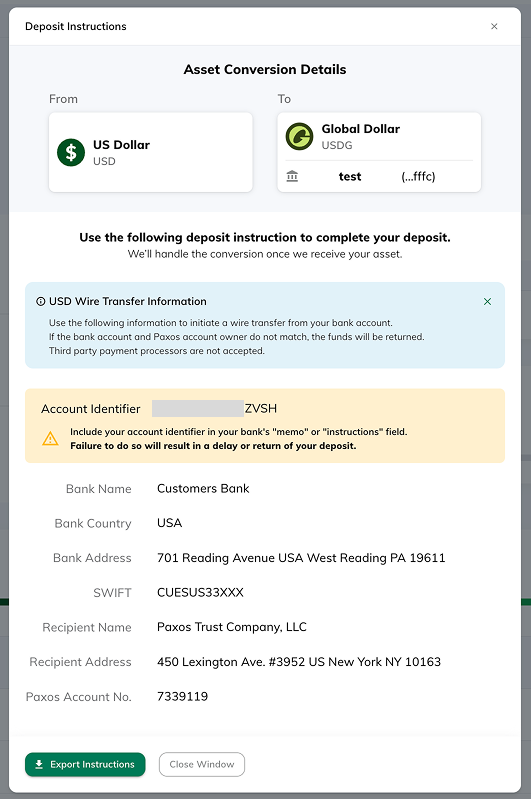
Once Paxos has received the USD, it will automatically be converted the stablecoin and location you provided.
For any questions or issues you believe may have, please reach out to Support.