Viewing Your Account Activity
Last updated: March 30, 2026
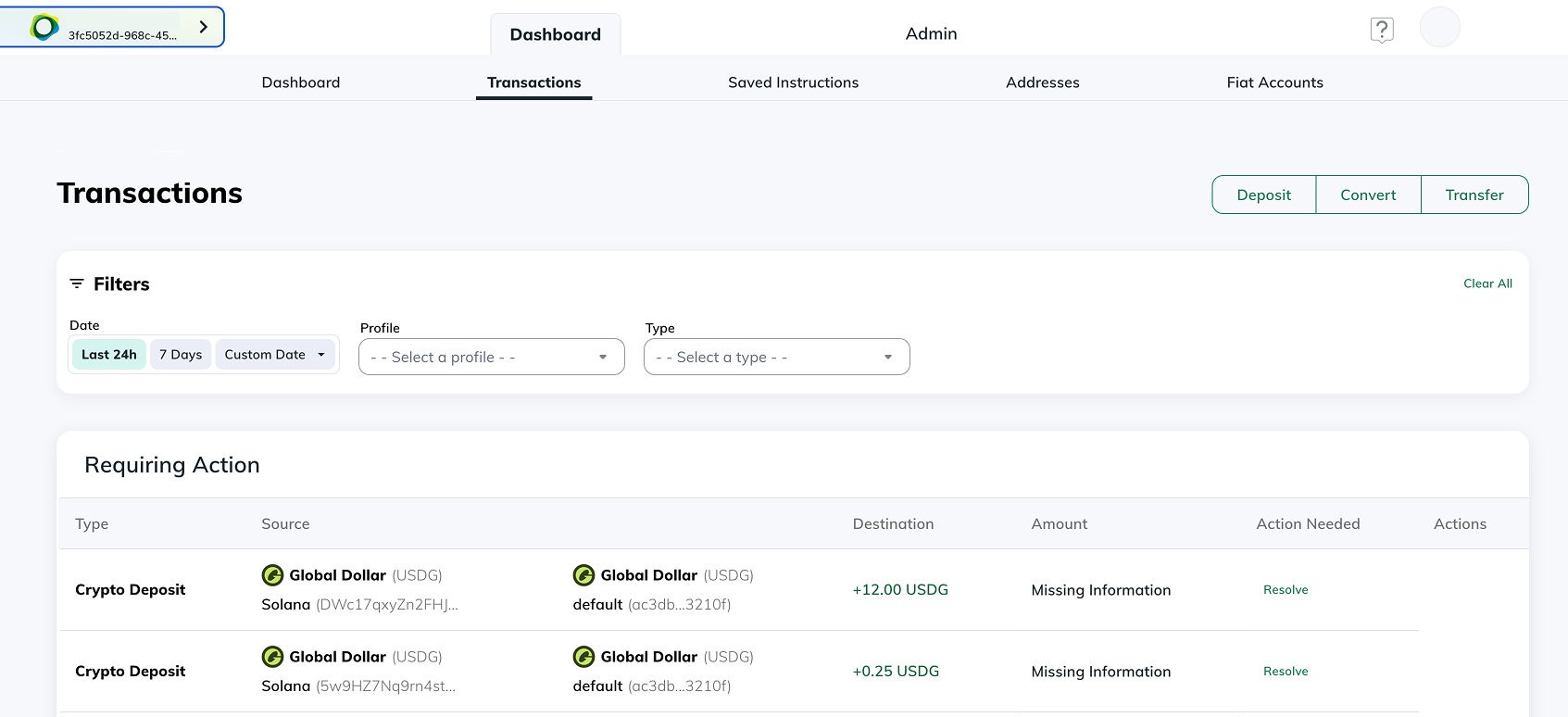
To view your account activity, select "Transactions" under the Dashboard Tab. Here, you will see your account activity and have the option to use different filters to view your activity in different ways.
For more specific history, you can view your account history using three different filter options:
- Date - Here, you can select your activity for the last 24hrs, 7 days, or select a custom date range
- Profile - From the "Profile" dropdown, you can select the specific profile you would like to view the activity for.
- Type - The "Type" dropdown allows you to select the specific type of activity you would like to view
If you’re still having trouble viewing your history, please submit a request here.