Account Statement
Last updated: March 27, 2026
There are 3 types of account statements you can directly get from your Paxos account:
1. Wallet Account Statement
2. Trading History
3. PAXG Transactional Activity
Warning: Please note that all of these 3 account statements can only be downloaded in CSV format at the moment.
1. Wallet Account Statement
Please follow the below steps to obtain an account statement (transactional activity) relating to your Paxos Wallet:
1. On www.paxos.com, log in to your Paxos account
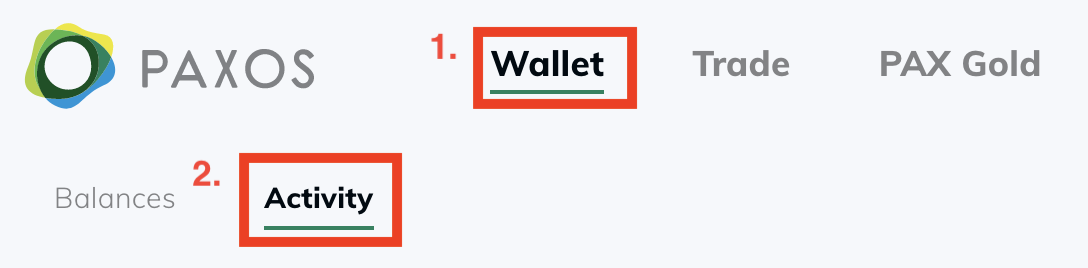
2. Once logged in, click 'Wallet' and then click on 'Activity'
3. You may use the 'Filter' dropdown to sort by the following:
- Activity Type
- Time Duration
- Asset Type
- Status
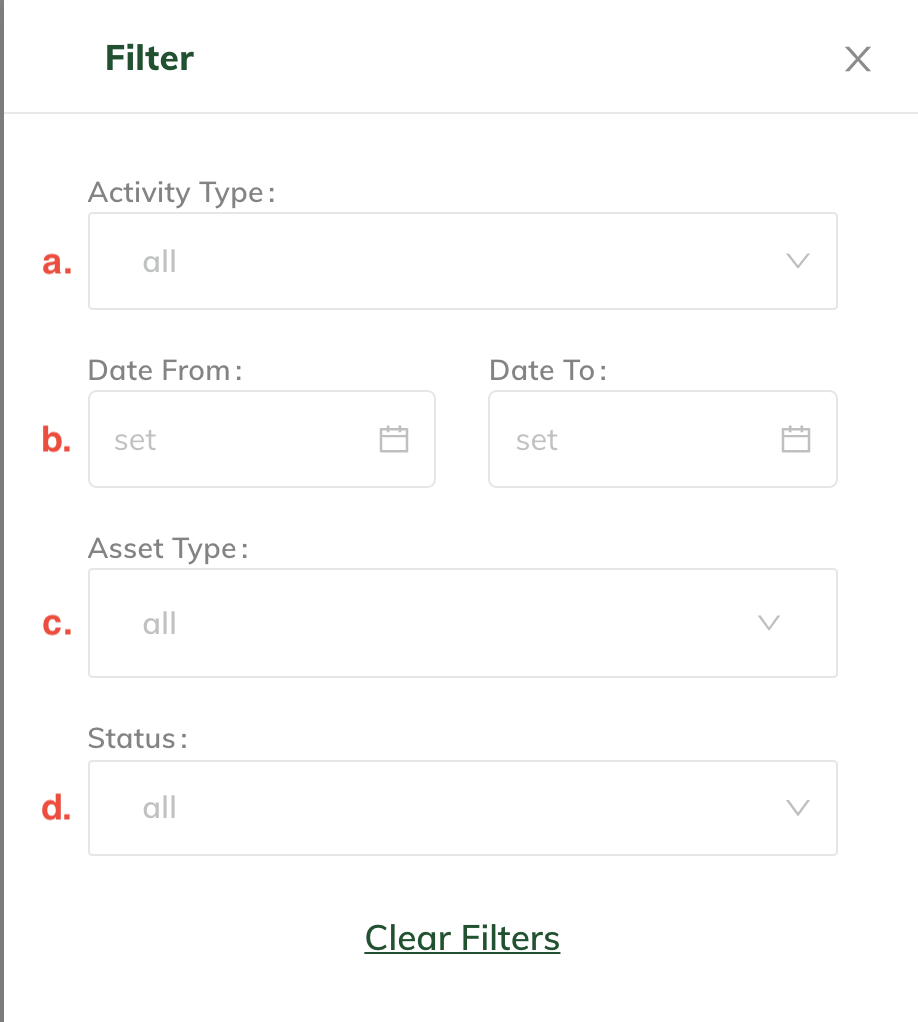
Once the appropriate filters are selected, click 'Download as CSV'

2. Trading History
Please follow the below steps to obtain an account statement (transactional activity) relating to Trades:
1. On www.paxos.com, log in to your Paxos account.
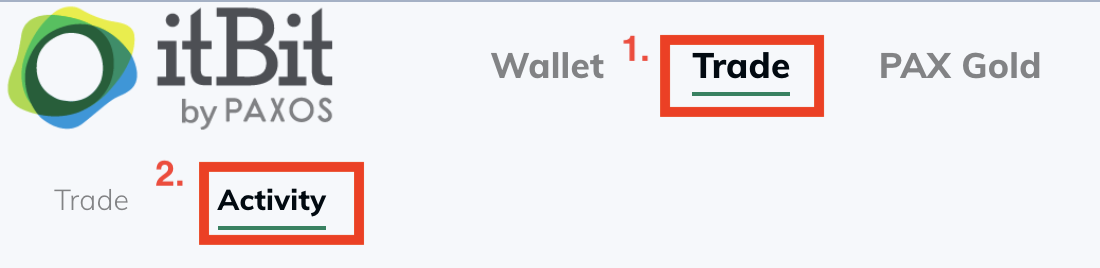
2. Once logged in, click 'Trade' and then click on 'Activity'
3. Adjust the time duration as needed

4. Click 'Download CSV'
3. PAX Gold Account Statement
Please follow the below steps to obtain an account statement (transactional activity) relating to PAX Gold:
1. On www.paxos.com, log in to your Paxos account.
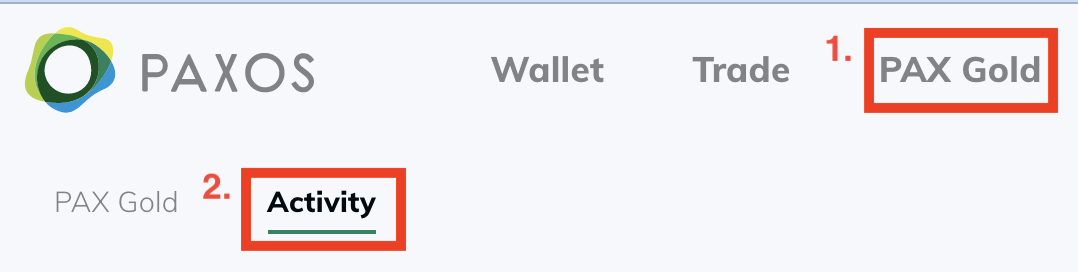
2. Once logged in, click 'PAX Gold' and then click on 'Activity'
3. You may use the 'Filter' dropdown to sort by the following
- a. Activity Type
- Time Duration
- Asset Type (This input will be pre-populated as 'PAX Gold')
- Status
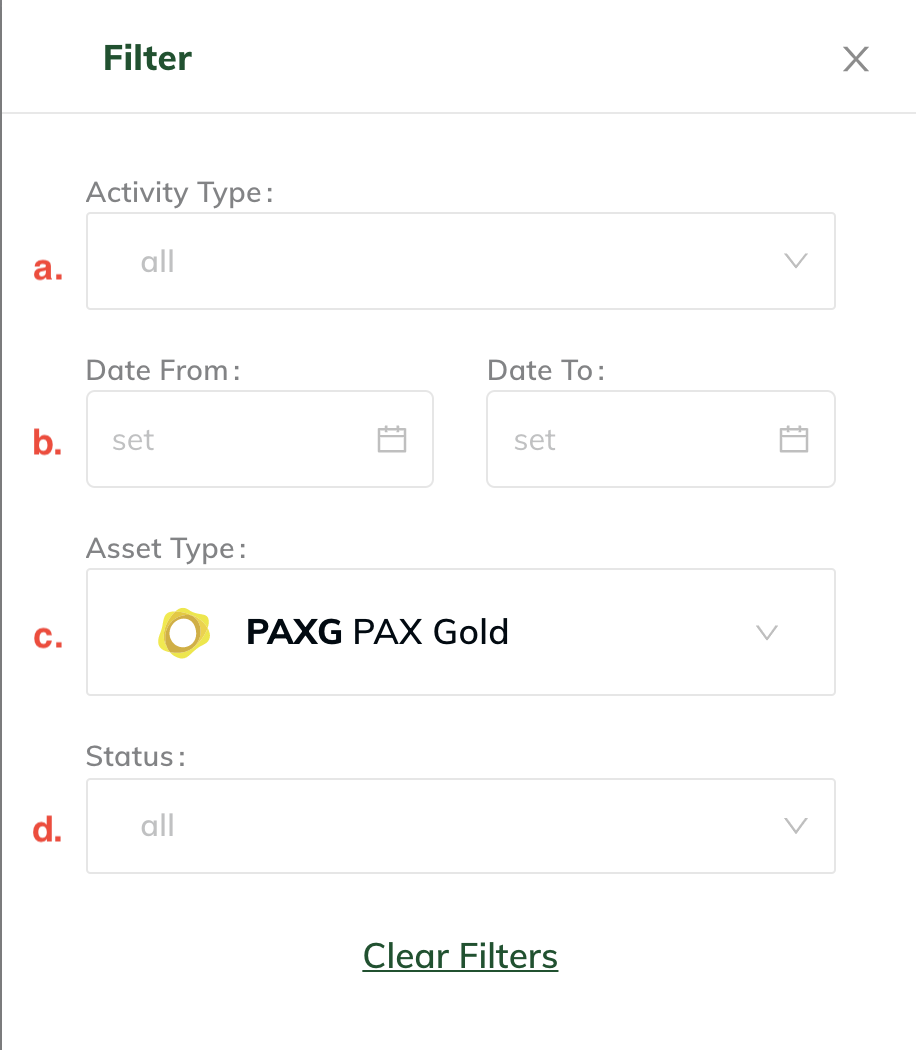
4. Once the appropriate filters are selected, click 'Download CSV'