Managing Your Account Profiles
Last updated: March 30, 2026
The Paxos Dashboard allows users to create various profiles within the same account. These profiles enable you to maintain separate balances and transactions depending on how you wish to use your account, such as maintaining different trading strategies or accommodating different entities.
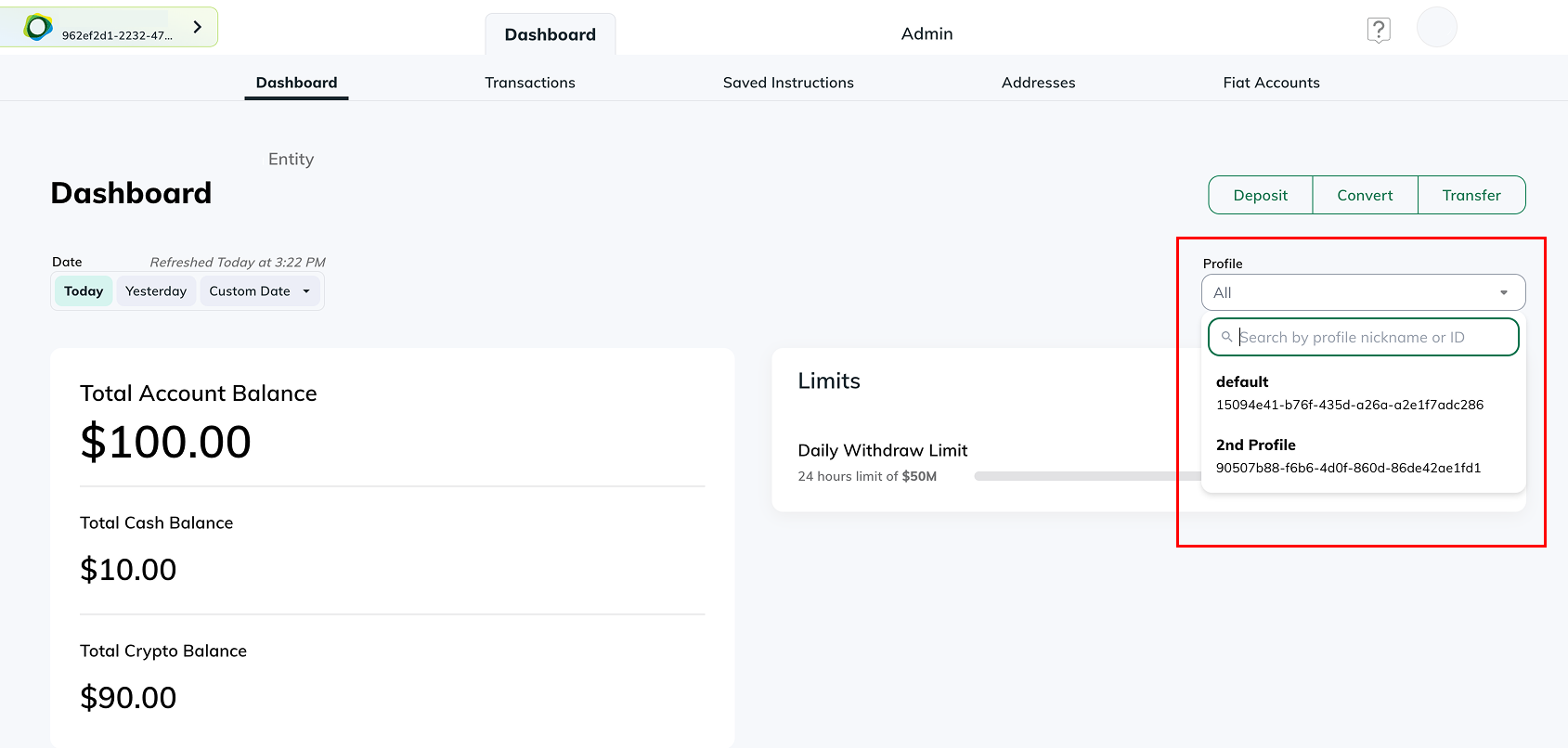
To switch views between profiles:
From the “Dashboard” tab, locate the profile drop down above the “Limits” section. From there you will be able to view and move between your various profiles.
To manage/add profiles:
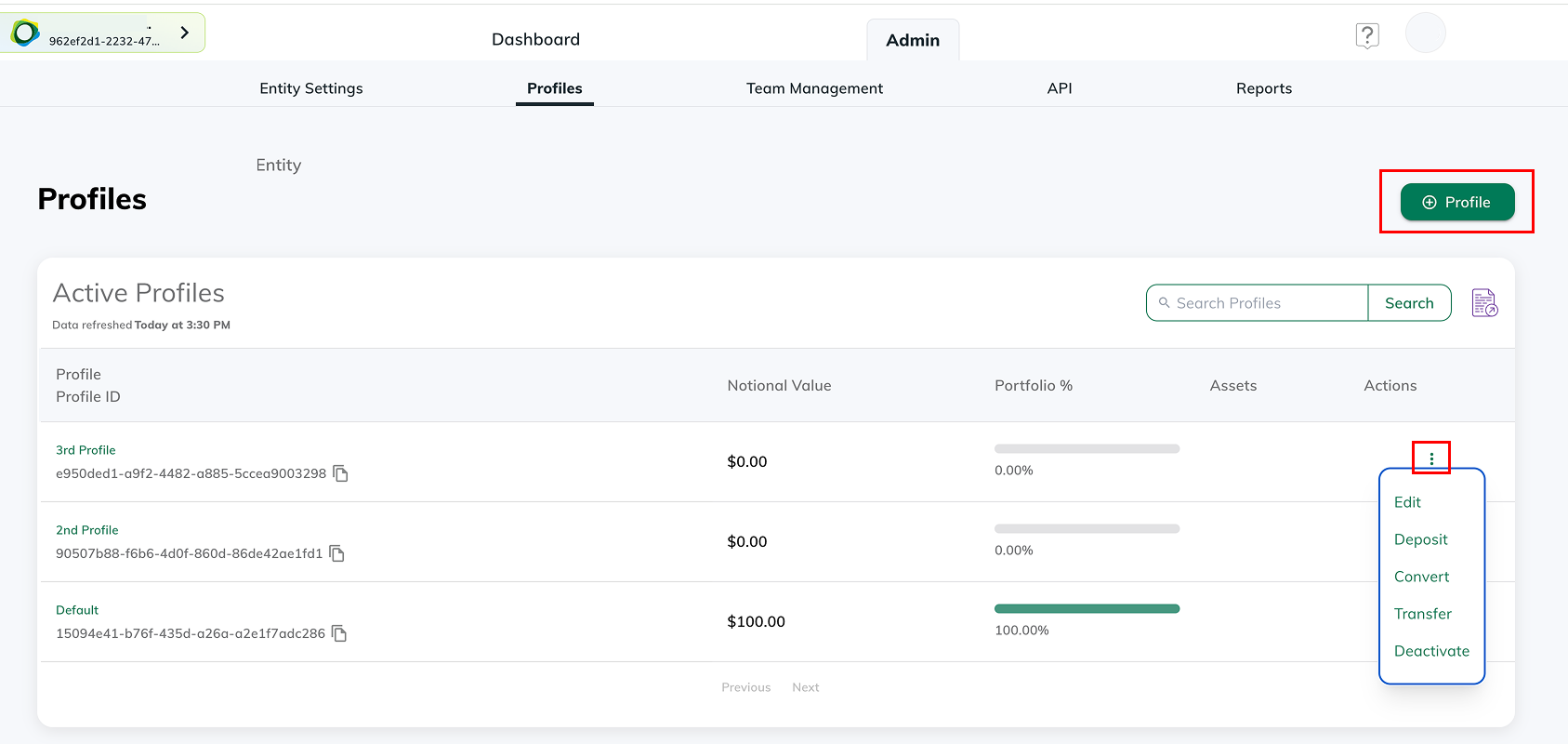
Within the “Admin” section of your Paxos account, there are five tabs that provide all the details associated with your Paxos account. In the “Profiles” tab, select the “+ Profile” button to add a new profile. To manage a profile, click the three dots on the row of the profile you want to manage.
To move funds between profiles:
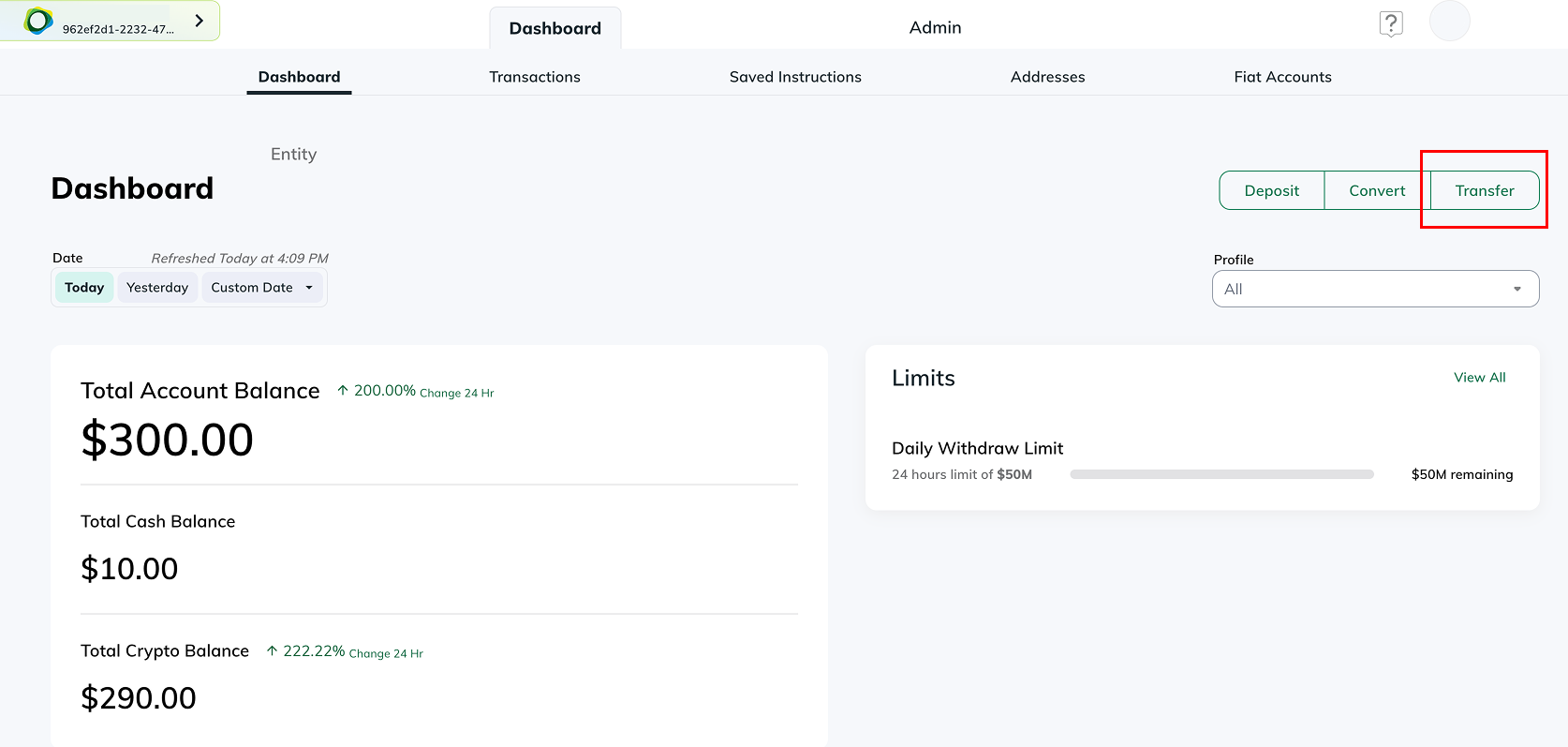
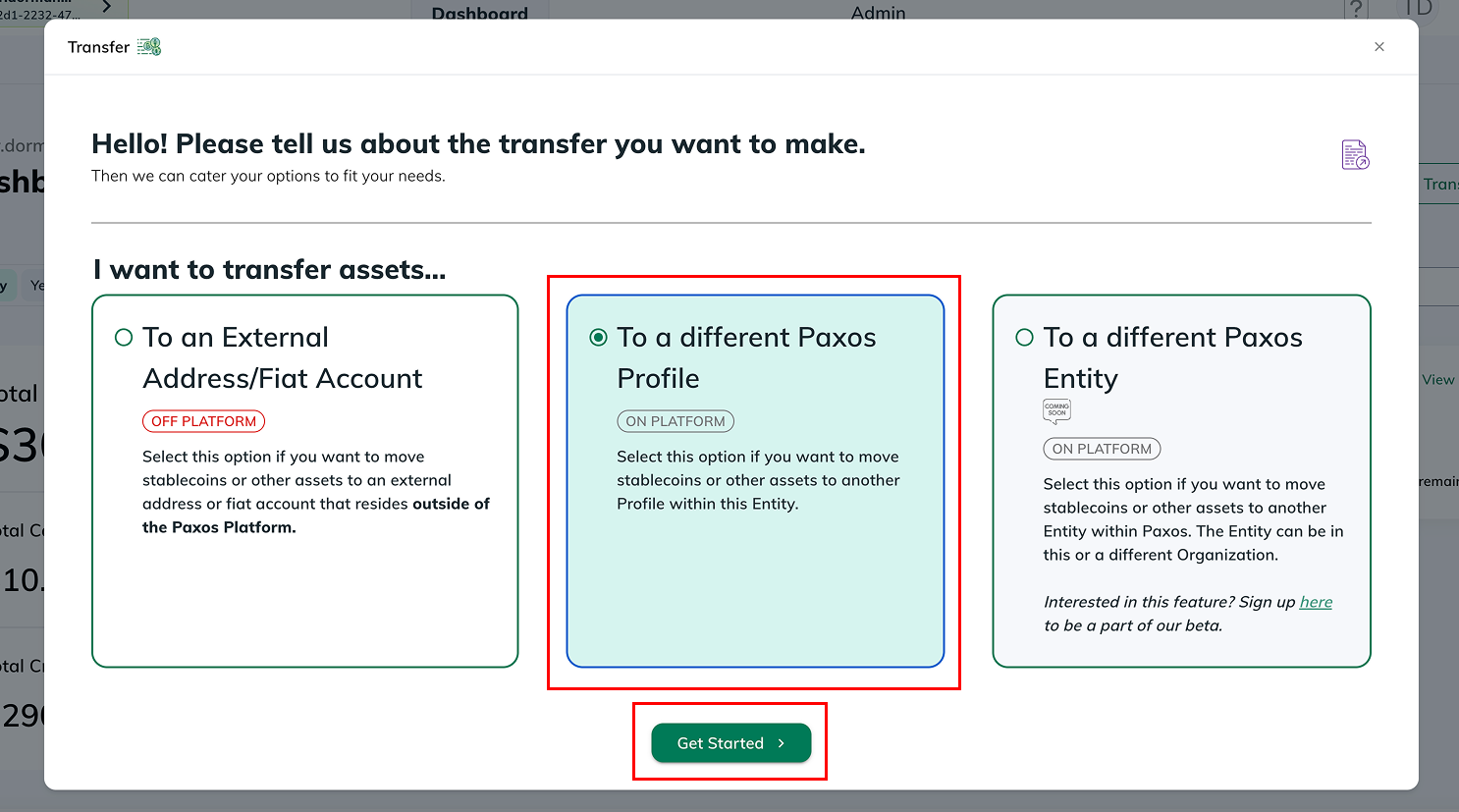
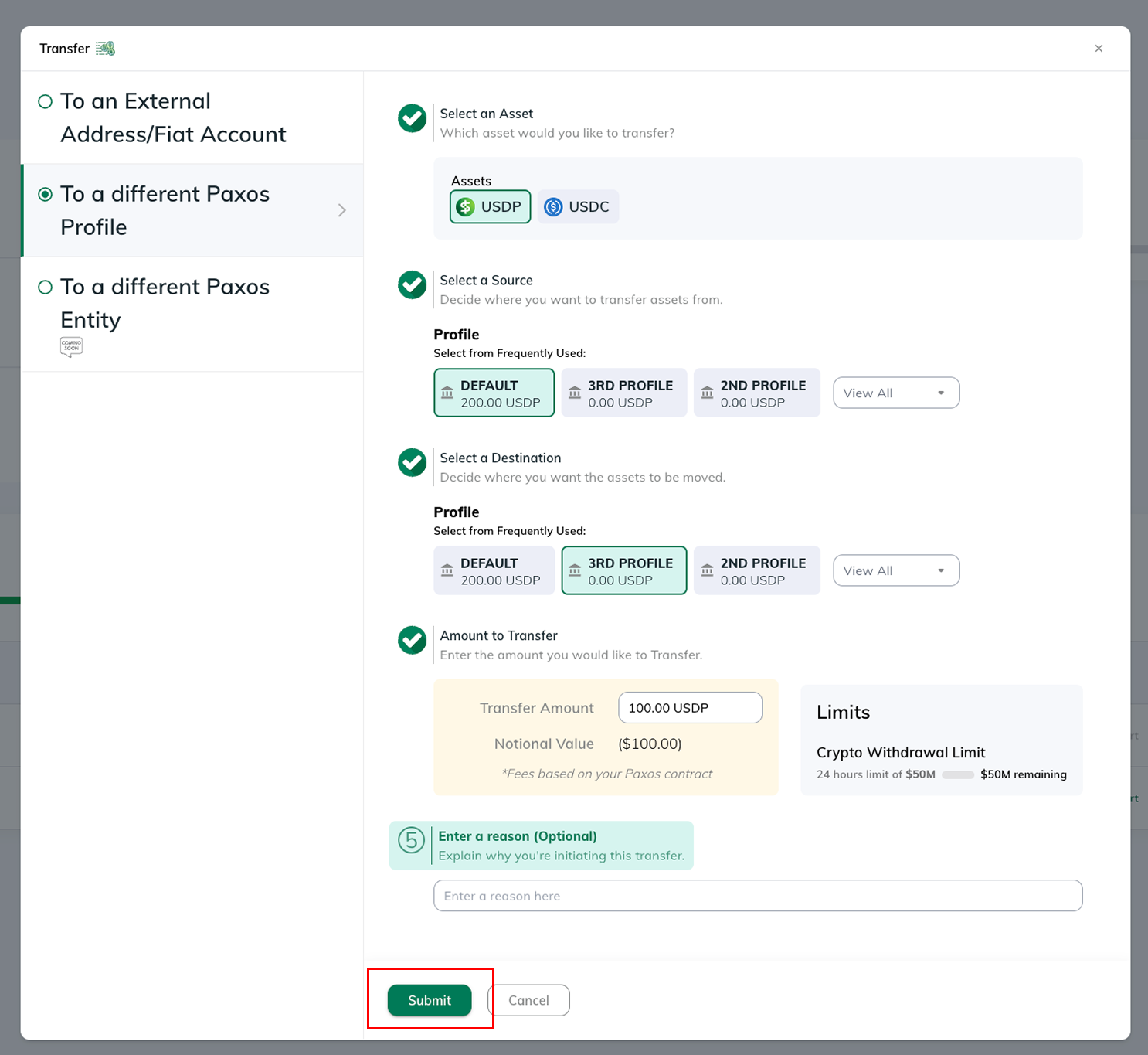
From the “Dashboard” tab select the “Transfer” button. From there, select the "To a different Paxos Profile" option and click get started. You can select the asset you want to transfer and select the "Source" (From Profile) and the "Destination" (To Profile). Enter the amount you want to transfer and hit submit.