How to Fund Your Account with Digital (Crypto) Assets
Last updated: April 2, 2026
NOTE: Paxos no longer mints new BUSD, but allows customers to redeem BUSD for USD or convert their BUSD to USDP. Learn more.
Please follow the steps below if you are interested in depositing Digital Assets held outside of Paxos to your Paxos account. Prior to initiating a deposit, please read through the important information below.
Important Information
-
Paxos supports deposits of the assets listed below. Please ensure you only deposit these Supported Cryptocurrencies.
Coin or Token
Network(s) Pax Dollar (USDP) ERC-20 and Solana (SPL) BUSD ERC-20 PayPal USD (PYUSD) ERC-20 and Solana (SPL) PAX Gold (PAXG) ERC-20 Bitcoin (BTC) BTC Ethereum (ETH) ERC-20 Bitcoin Cash (BCH) BCH Litecoin (LTC) LTC Aave (AAVE) ERC-20 Uniswap (UNI) ERC-20 Chainlink (LINK) ERC-20 Polygon (MATIC) ERC-20
Solana (SOL) SPL
Note: Paxos only supports BUSD on ERC-20 at this time. Please do not deposit BUSD via Binance Smart Chain (BSC).
- Cryptocurrencies or tokens not listed on this page, or deposited via unsupported networks are irretrievable. For more information, please refer to
- Do not send funds to an address you found on a blockchain explorer such as Etherscan, as these may be our smart contract addresses and not your deposit address. Funds sent to the smart contract address cannot be retrieved. Please follow the steps below to find your unique deposit address.
Depositing Crypto
-
Sign into your Paxos account, and in the Wallet tab, select Deposit
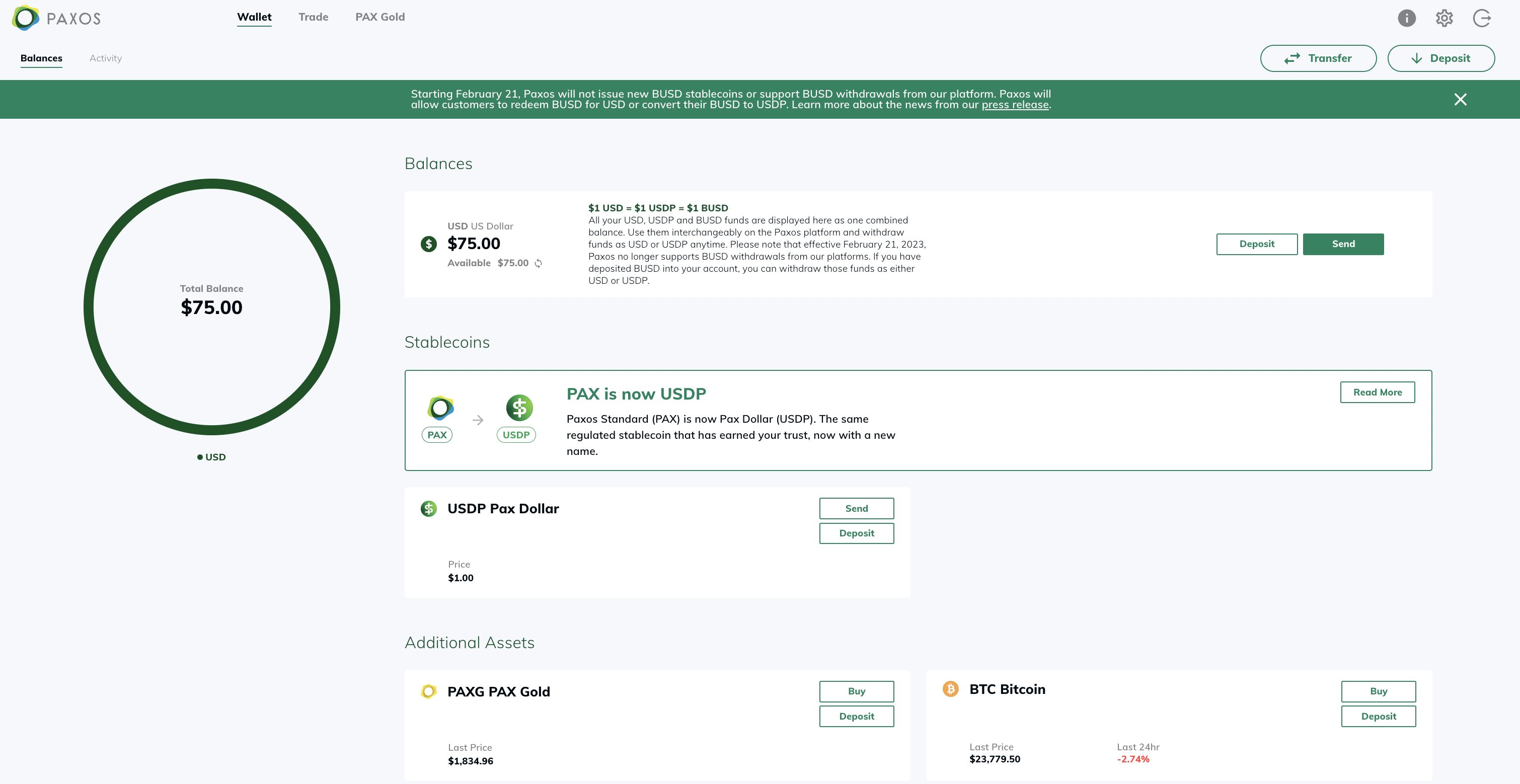
- Select Destination to pick which profile you would like to deposit to (Optional)
-
Select Asset you wish to deposit
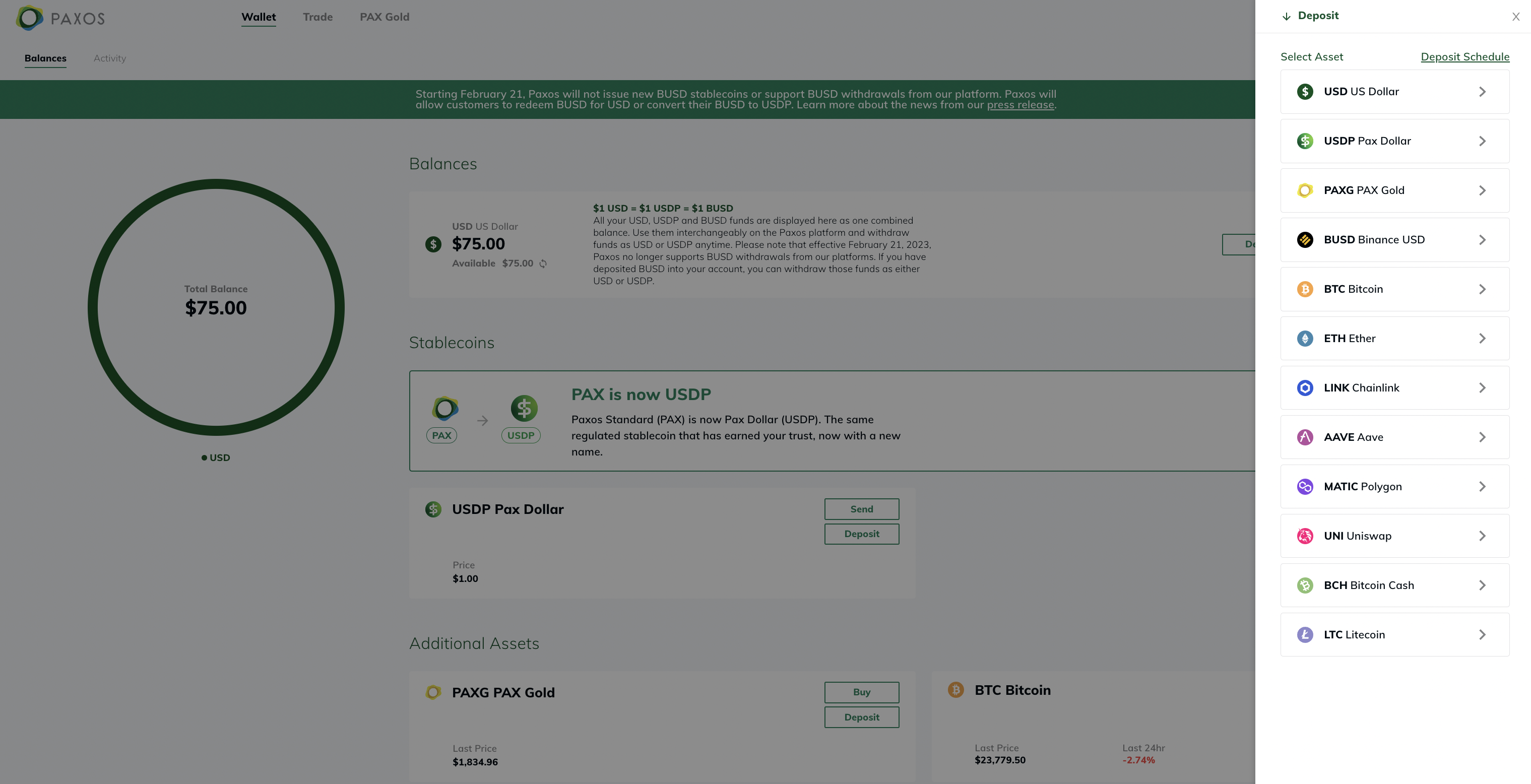
-
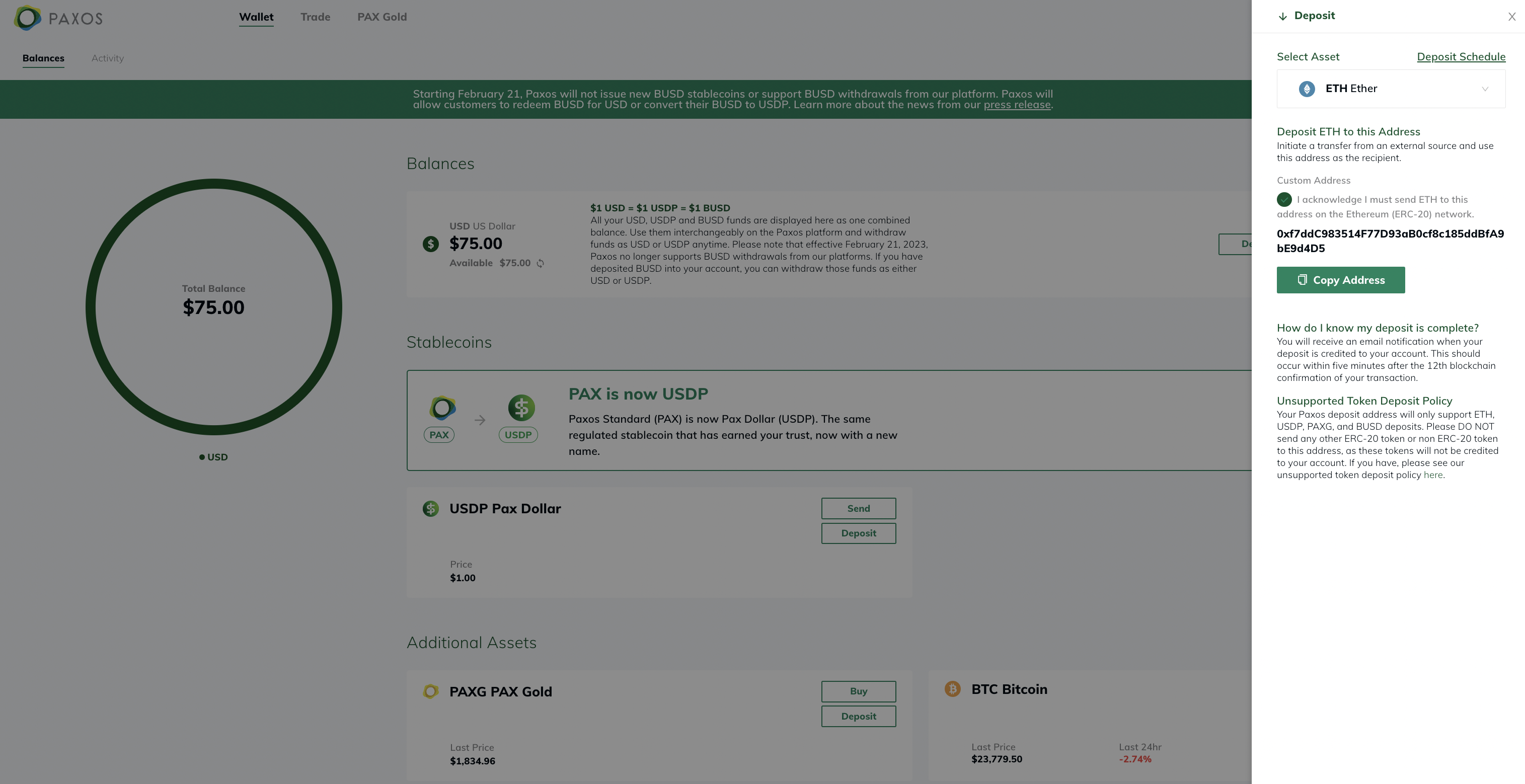
Click on Copy Address to get your Paxos Crypto deposit address to use on other platforms
Please note: All ERC-20 deposits require an acknowledgement that you are getting a deposit address for ERC-20 token. Depositing non ERC-20 tokens can lead to a loss of funds. After confirming you acknowledge this, you will see your unique Crypto Deposit address for your profile.
When will I see my deposit?
You will receive an email notification when your deposit is credited to your account. This should occur shortly after the minimum number of requisite blockchain confirmations, as outlined below.
- BTC deposits are reflected in your account after 3 blockchain confirmations.
- ERC-20 deposits are reflected in your account after 12 blockchain confirmations.
- BCH deposits are reflected in your account after 15 blockchain confirmations.
- LTC deposits are reflected in your account after 12 blockchain confirmations.
Deposit Fees
Digital Assets deposits to your Paxos account will not incur any deposit fees on our end. For more information, please look at our deposit & withdrawal fee schedule.